

Sprucely.io connects to the tools your team already works in. The most complete integration is with Claude: an MCP connector that turns a conversation into a hosted, interactive dashboard, plus matching add-ons for PowerPoint, Google Docs and Google Slides so the result can be pasted into whatever you present or write next.
Claude integrations can be done in two ways. The Claude connector, added from Claude's own connectors directory, is the fastest way to turn a chat into a dashboard with no setup beyond signing in. The MCP connector is the same underlying protocol exposed as a plain server URL, for Claude Code, other MCP-compatible clients, and your own agent or automation — useful when you want to script the connection or run it headlessly rather than through the Claude interface. Both are Anthropic connectors that speak the same protocol; which one to use depends on whether a person or a script is doing the connecting.

With the Sprucely.io connector for Claude, an analysis from a Claude conversation or agent run becomes a hosted interactive dashboard you can share by link or email and embed anywhere — viewers need no account. Add it by searching for Sprucely.io in Claude's public connectors directory — there is no additional configuration required aside from creating an account.
Sign in with your Sprucely.io account when Claude prompts you — if you don't have one yet, it is created during the connection flow.
This is the same connector used from within the claude.ai web interface, Claude Desktop and the Claude mobile app — once connected, it is available in every conversation without reconnecting per chat.
For step-by-step setup and usage examples, see the Claude connector guide.
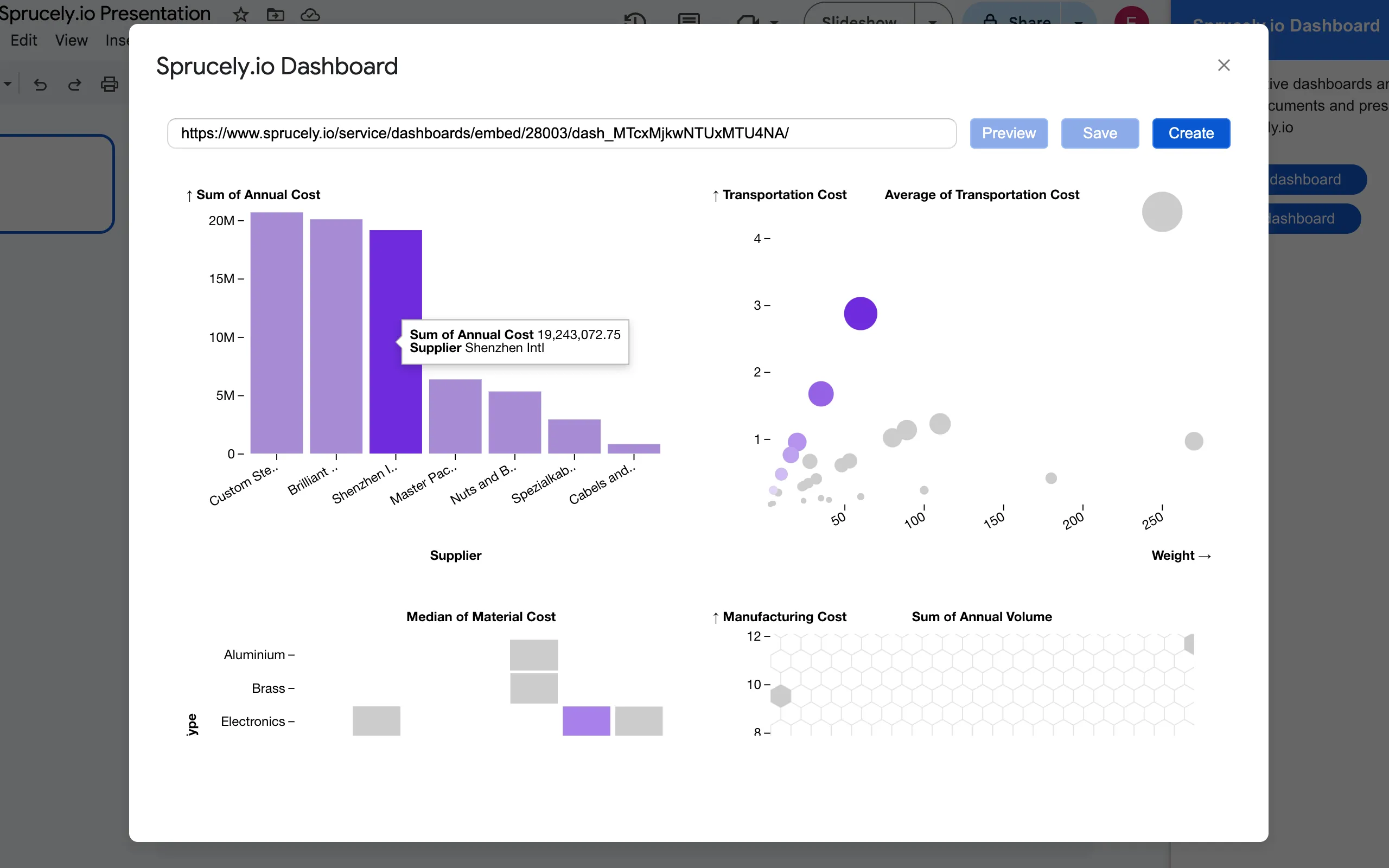
With the free Google Docs™ add-on for Sprucely.io available on the Google Workspace Marketplace, you may access Sprucely.io dashboards directly from within Google Docs™.
Install the add-on by searching for Sprucely in the Extensions → Add-ons → Get Add-ons dialog.
With the free Google Slides™ add-on for Sprucely.io available on the Google Workspace Marketplace, you may access Sprucely.io dashboards directly from within Google Slides™.
Install the add-on by searching for Sprucely in the Extensions → Add-ons → Get Add-ons dialog.

Any AI assistant, agent framework or automation that speaks the Model Context Protocol (MCP) can use Sprucely.io as its delivery layer. Add the hosted MCP server https://www.sprucely.io/mcp to your client, and the result of an analysis becomes a hosted interactive dashboard you can share by link or email and embed anywhere — viewers need no account. The agent can also append rows to a dashboard it created earlier, so a scheduled run keeps the same link up to date.
Authenticate with OAuth when your client opens the sign-in page, or use a long-lived MCP API key from your profile page for headless agents and servers where a browser sign-in is impractical.
Because this is the protocol-level MCP connector rather than a directory listing, it works both with Claude Code and custom agent frameworks that speak MCP — anywhere a server URL and an API key are enough to get started.
For protocol details, tool reference and limits, see the MCP API documentation.
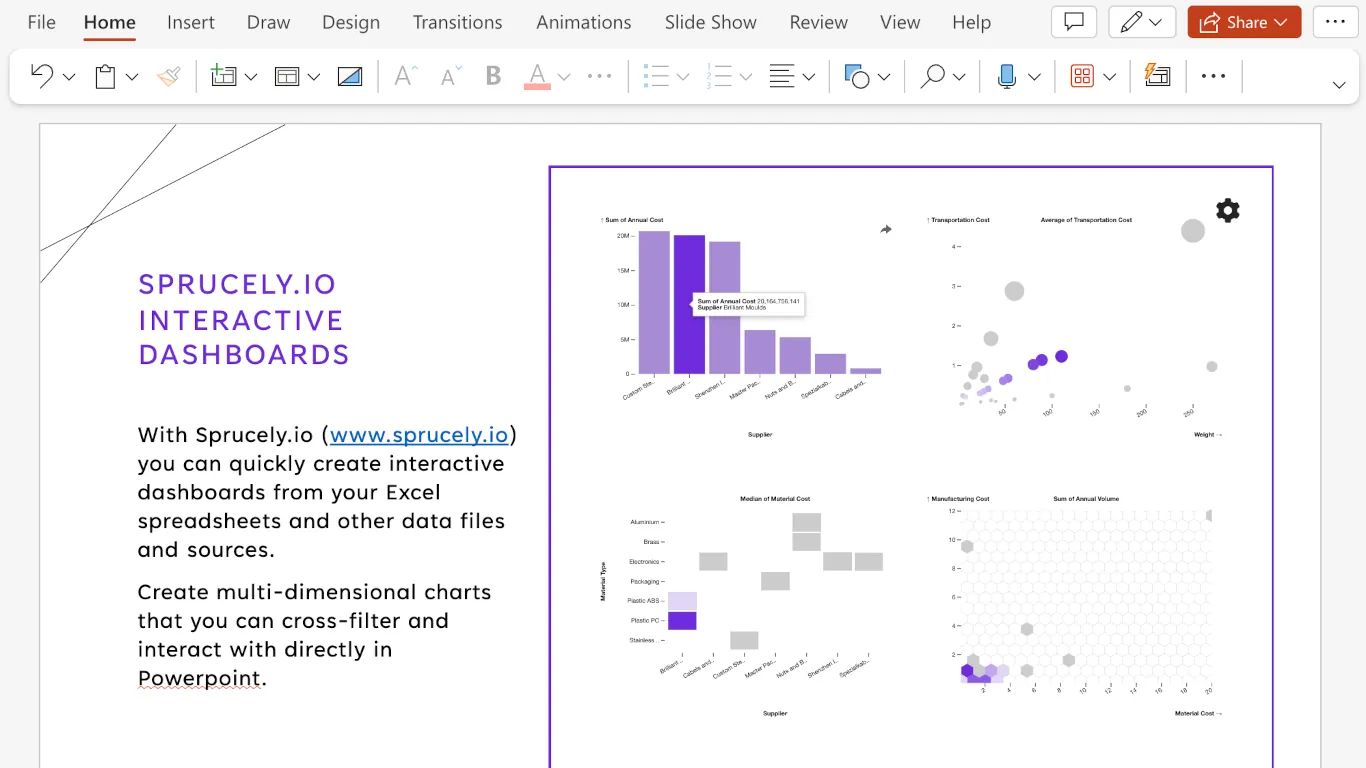
With the free Microsoft PowerPoint add-in for Sprucely.io available on the Microsoft Marketplace, you may access Sprucely.io dashboards directly from within PowerPoint.
Install the add-on by searching for Sprucely in the Add-ins toolbar dropdown.
Make your presentations stand out as you can interact with your data even in presentation mode!